Drift breaks builds
One node with a different library version and the build farm produces different artifacts. Nobody notices until it ships.
Render nodes, CI runners and app servers that have to match, kept in sync from one source of truth and changed with a canary first.
One node with a different library version and the build farm produces different artifacts. Nobody notices until it ships.
Half the tier updated by hand, half not. The answer lives in someone's shell history.
Automation without a canary boundary delivers your worst change to every machine at once.
Gather machines into named @sets: by role, by tier, however you actually run the fleet. A set is both your rollout target and your canary boundary: publish to one node, watch it, then edit the target to the whole set. It never re-runs a success, and the simulation shows exactly which machines a change will hit before you publish.
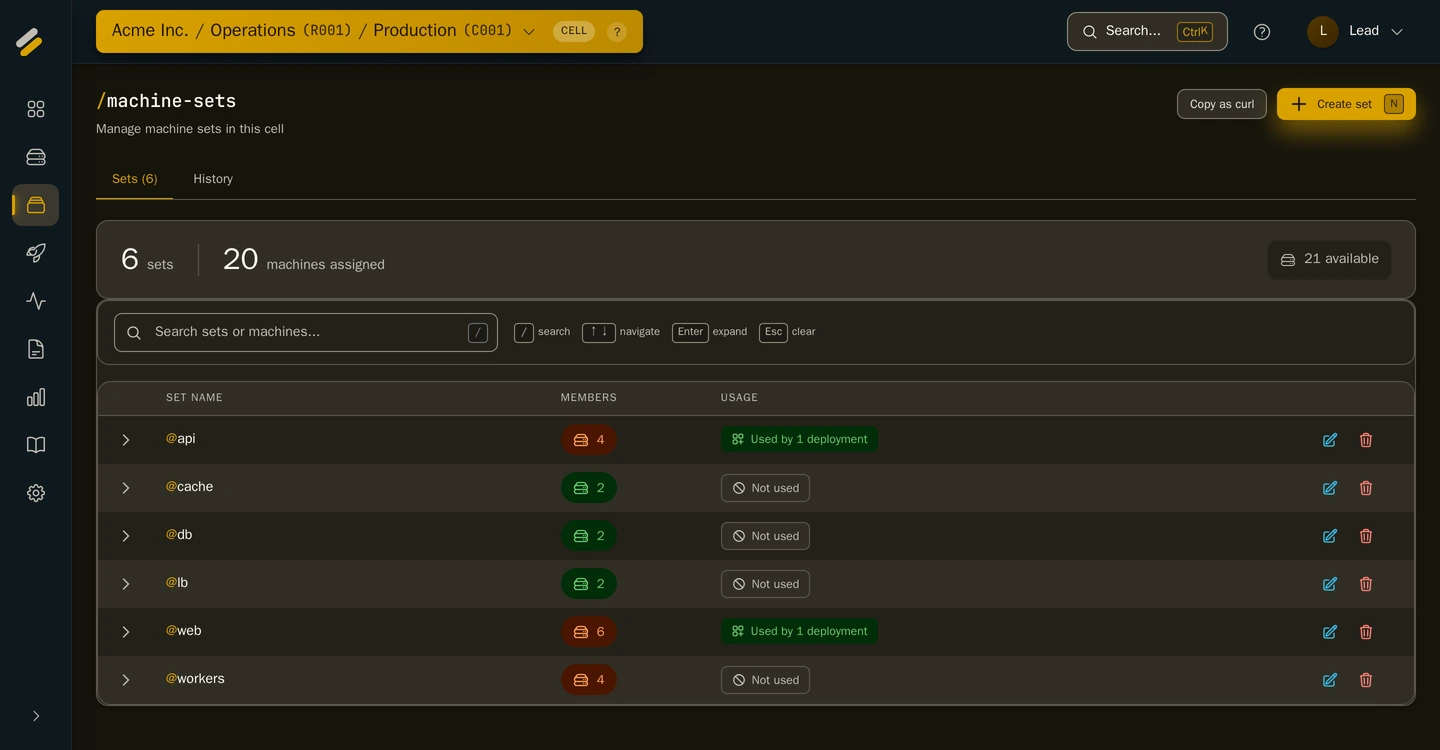
A real capture of the running product. Live data, no mockups.
Pre-publish simulation: see exactly which machines a change will hit
Execution order you control: packages run by the priority you set
Full version history: diff, roll back, or selectively restore any past rollout
Every change pushed the moment it's published, with no poll interval
Every point above is a shipped capability, on every plan — see the full list.
The change-management questions behind SOC 2 controls (who made the change, what exactly changed, can you roll it back) have answers the fleet keeps for you.
Every rollout and config change carries who-changed-what, field by field
Version history with diff: show exactly what changed between any two rollouts
Rollback is evidence too: restore any past rollout, selectively
Enrol a node in minutes. Your first 5 machines are free, no card required.