One operator, not a platform team
No cluster to stand up, no team to staff around it. One person describes a change once and ships it to thousands of machines, targeted with @sets and pushed the moment it's published.
Its architect spent six years automating one client's estate and wrote the fleet-management software that ran it — deployed market after market across four continents, tens of thousands of machines. That system is still in production a decade later. Syncronis is a new product, written from scratch. Who builds this →
Up and running in minutes. Your first 5 machines are free, no card required.
For teams running tens to thousands of Linux machines, with no platform team to staff it:
One console. Configuration, packages and scripts for every machine: described once, published once.
Nothing new to learn. A package is a folder with a bash script. That's the entire format.
Landed in seconds. Pushed the moment you publish, and delta transfers move only what changed.
Proven identity. Mutual-TLS between every machine and the control plane. No shared secrets.
Your data stays yours. Packages, logs and credentials never leave hardware you own.
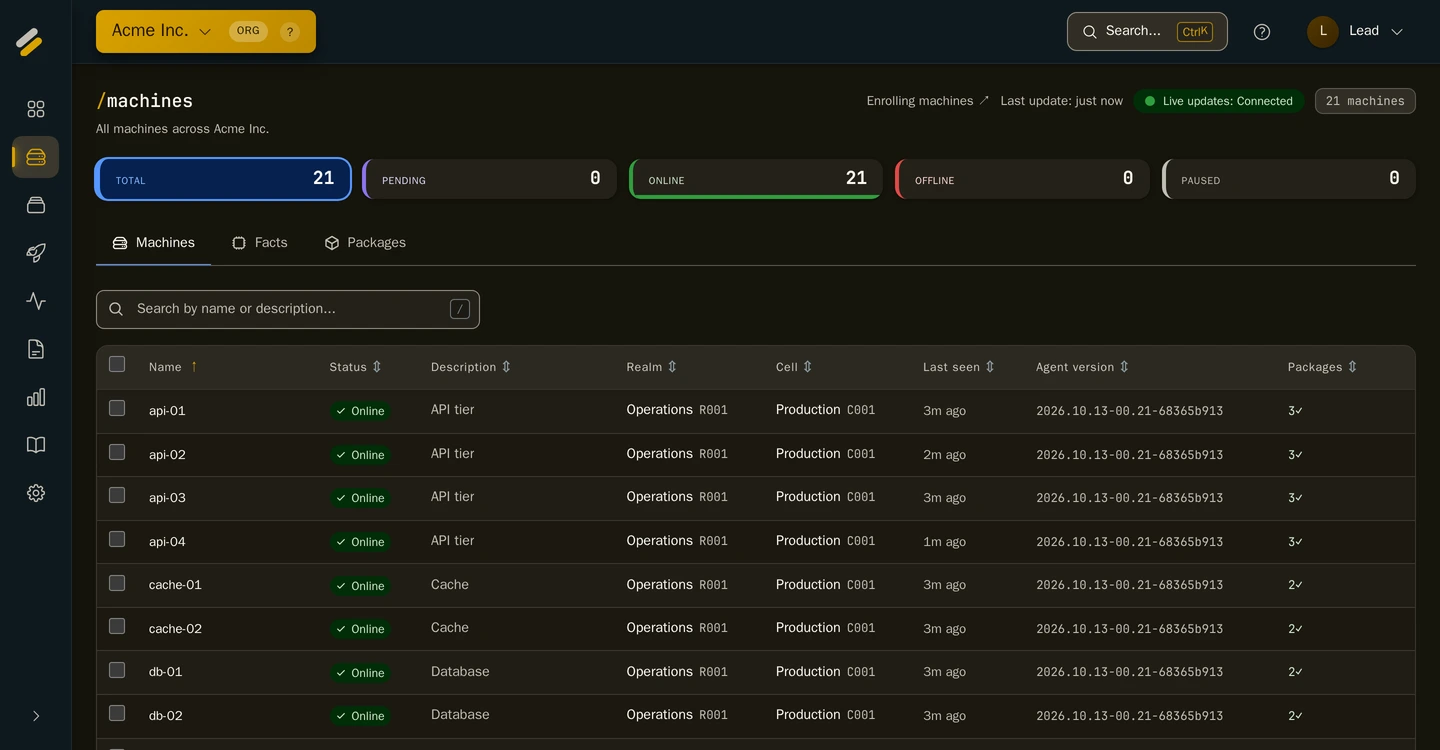
A real capture of the running product. Live data, no mockups.
The number under all four: 10,000 machines on one server, measured on the product's own benchmark suite, not a model. See the numbers →
Engineering hours lost one box at a time. Config drift that becomes a 2 a.m. incident. An audit nobody can answer. Syncronis replaces all of it with one place to describe a change and watch it land.
Illustrative terminals: the shape of the problem, not a benchmark.
No cluster to stand up, no team to staff around it. One person describes a change once and ships it to thousands of machines, targeted with @sets and pushed the moment it's published.
Roll out to a single machine or a handful you pick, watch it, then widen. A mistake costs you those machines, not the whole fleet.
The fleet keeps its own record: which version landed where, when, started by whom. No "which box is on which version?", no reconstructing history from memory.
A folder with a bash script. That's the entire package format.
No .deb to build, no manifest schema, no packaging pipeline. If you can write a bash script, you already know how to use Syncronis.
Pack a folder, describe a change, watch it land, keep an eye on your vault. Every screen is a real capture of the running product, from a live tenant. Click any to read it full-size.
Your files, plus a bash entry script (any *.sh). Put them in a directory and it's ready to ship: point the next rollout at it and publish.
Point a package at a target, then set the schedule window, timeout and failure policy. A structured form, no scripting required.
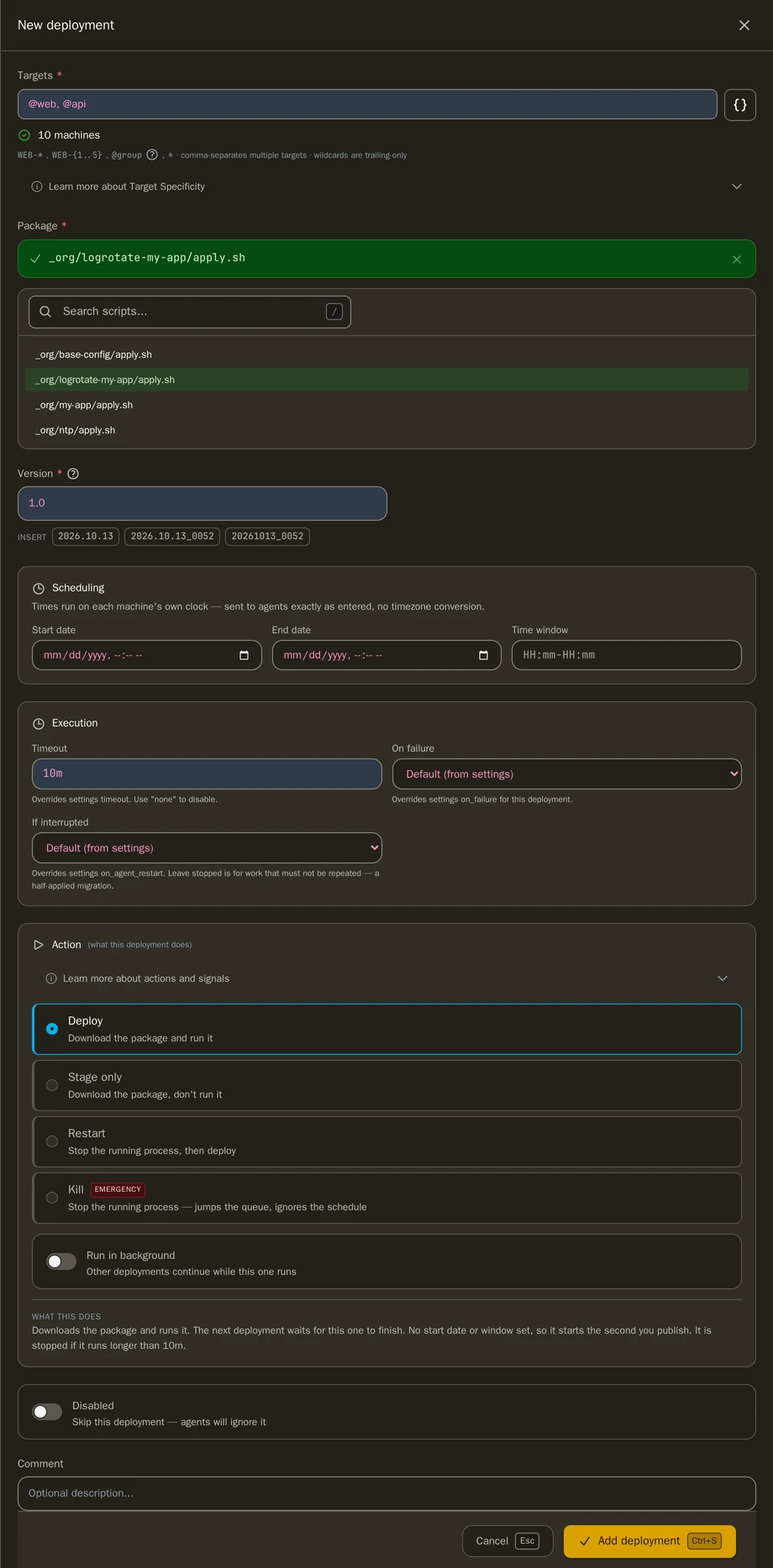
Hit publish and watch it land: per-machine progress, completed vs. pending counts, deploy activity in real time.
Recorded live on a 21-machine fleet. The wait for the last few machines plays at 3× speed, and the recording says so while it does.
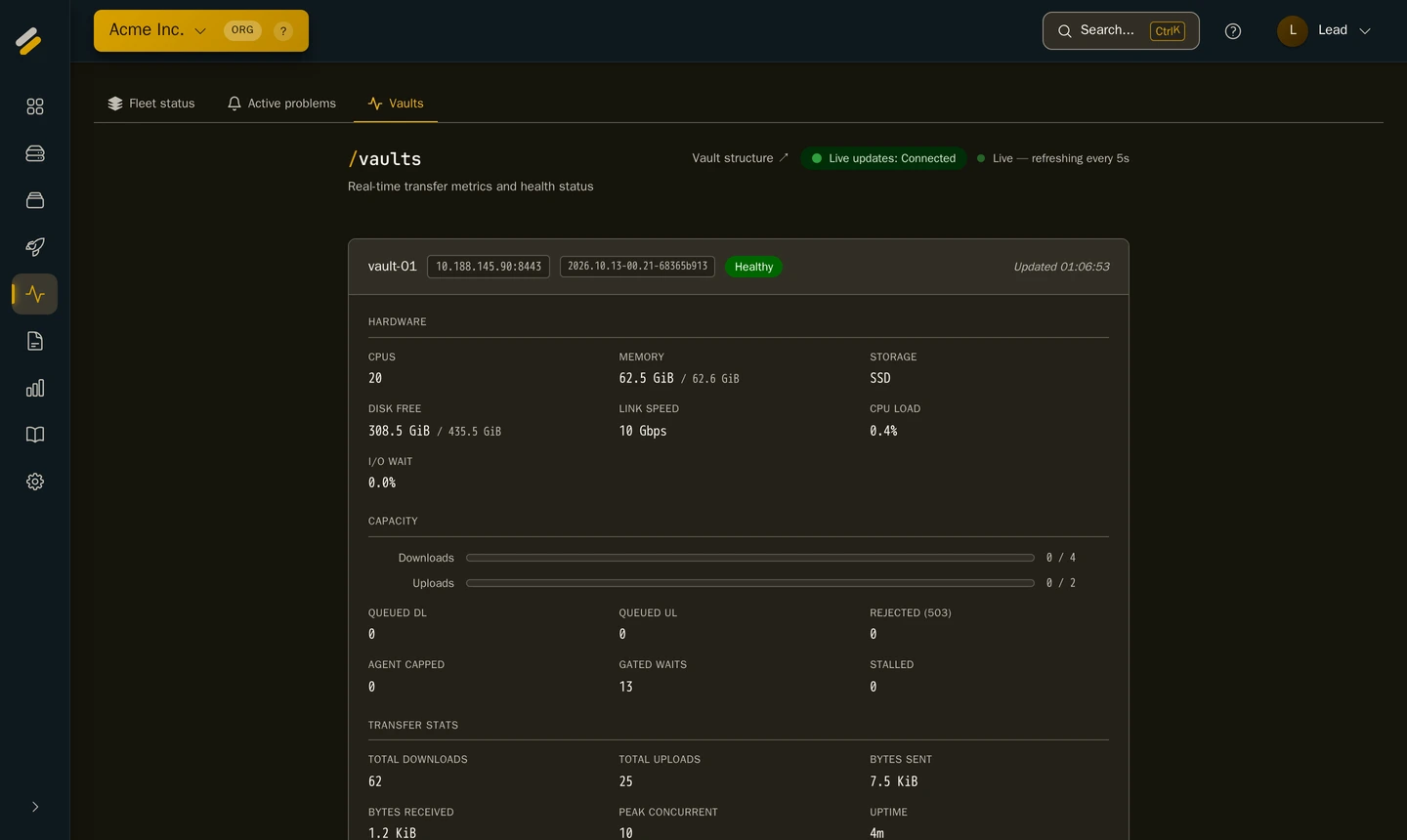
Your vault as the console sees it: hardware, transfer capacity and throughput on your own server, refreshed every few seconds.
Most fleets keep configuration in a dozen places: a script here, a template there, a secret pasted into a wiki. Syncronis pulls it into one place, and your own vault builds the exact config each machine should have, automatically, every time.
Set a value once at the top, and each group or environment can refine it further down. Change the source, publish, and the rendered config lands across the fleet in one pass.
Set a value once; each group and environment refines it. No copy-paste drift across hundreds of hosts.
Config and the packages it needs ship together, and only the changed parts move, not a full re-download each time.
Packages, logs and credentials never leave hardware you own.
Data ownership isn't a setting you switch on: it's the architecture. Two planes, one line between them. Every guarantee below follows from that line.
Packages, logs and credentials live on a vault you control. Our servers, or yours, never store them.
Each machine and the server prove who they are to each other with client certificates. No shared secrets sprayed across the fleet.
Per-machine secrets are assembled on your own infrastructure. They never pass through our servers.
Four roles (principal, lead, engineer, observer) decide who can see and change what, down to a single realm or cell.
Every rollout and config change records who changed what. The fleet's history is accountable, not anonymous.
New passwords are checked against known-breach lists and rejected if already exposed. Stronger sign-in, by default.
Not a trial that expires into an invoice. No card, no call, and nothing to cancel if you walk away.
A 14-day trial takes any number of machines. No charge until day 14. Cancel before then and you are never billed.
Packages, logs and credentials sit on your own vault from day one, hosted plan included. Leaving costs you a migration nobody has to run.
Machines keep running what they were last told to run with no control plane reachable at all. The whole stack can move onto your own servers, same binary. What keeps running →
It earns its keep on the fleets that are painful to run by hand:
Where it sits among the tools you know is a deliberate choice. Two axes place it: who triggers delivery, and where your data lives. GitOps scores what we score on both, so it shares our corner here. What separates us is what has to be running underneath.
GitOps reached this corner first, inside a cluster. Syncronis is the same corner for the machines that will never be in one.
vs. config management
With Ansible and its peers, a change goes out when a run starts, by hand or on a schedule. Syncronis delivers it the moment you publish.
vs. edge / embedded platforms
Their hosted plans keep your data in their cloud. Syncronis keeps it on your vault, hardware you own, even when we host the rest.
what it isn't
Not Kubernetes, not infrastructure-as-code. It delivers your packages and runs your scripts, where and when you decide.
No AI inside. Ready for yours.
Syncronis does exactly what your scripts say. Your CI pipeline, a cron job or your own AI agent drives it through the same API the console uses, with a key you limit.
Nothing to procure, no platform to stand up. Create your organization, enrol a machine, publish your first rollout.
Sign up in a browser, no card, no sales call. You're in and ready to enrol machines.
One command on any Linux box with systemd. It joins with a one-time token, no shared secrets.
Target it, hit publish, watch it land live with per-machine progress.
The exact one-liner the console generates for each machine, token redacted. It installs the agent, enrols it with a mutual-TLS identity, and starts the systemd service.
One operator runs the fleet, from a few dollars a machine. First 5 free.
From $3 down to $0.50 per machine / month · pay annually and get two months free · evaluate your whole fleet with a 14-day trial.
Create your organization and publish your first rollout today. Running a larger fleet, or want a hand setting up? Every team we onboard gets direct founder support.
Prefer the technical detail first? Read the architecture.
Click anywhere · Esc to close